Discover Talent Safely and Transparently
Find qualified youth basketball players with tracked stats, discoverability controls, and approval-based outreach that keeps families in the loop.
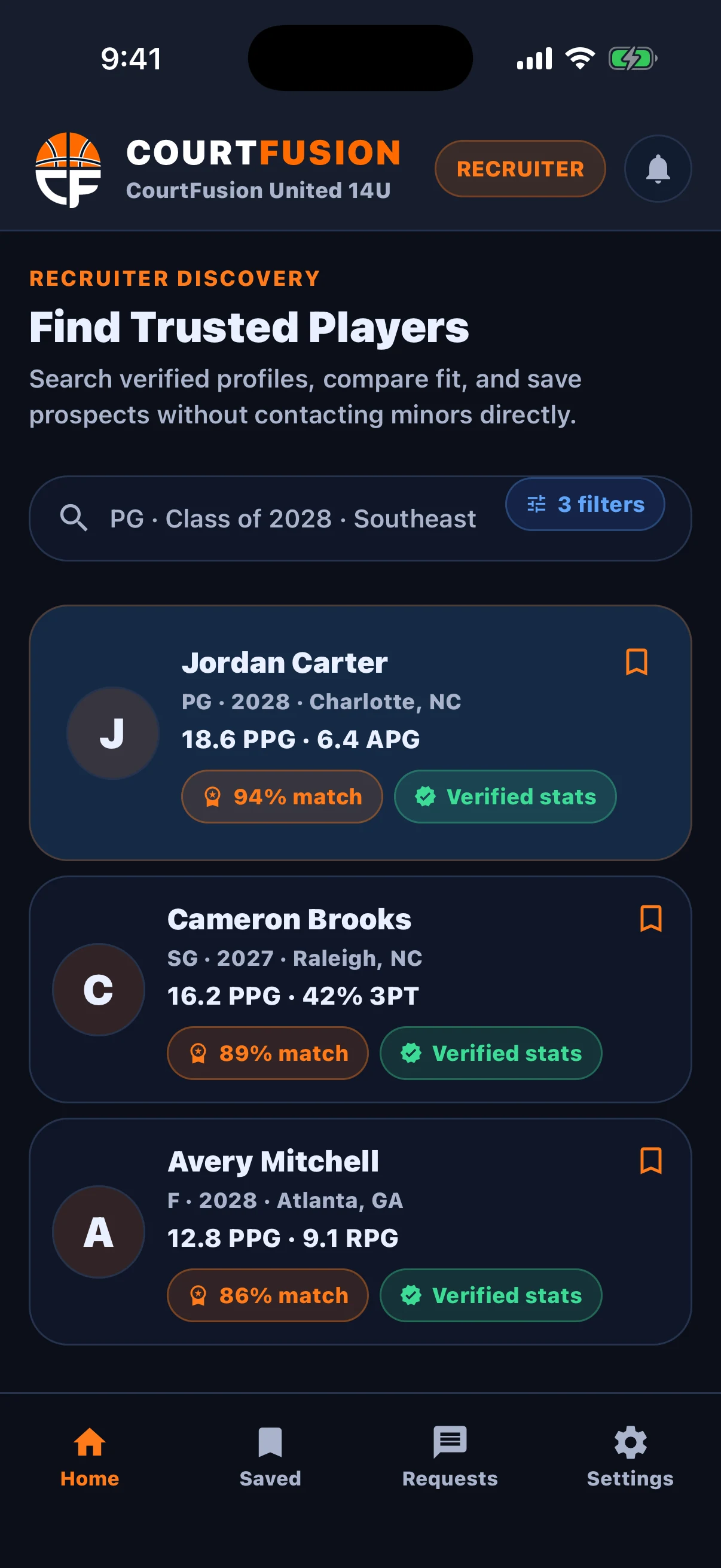
Advanced Player Discovery
Search and filter through a database of youth basketball players with tracked game stats, discoverability settings, and player-approved social links.
- Smart Search Filters
Find players by class year, height, location, position, and social presence.
- Verified Performance Data
Review game-tracked production instead of relying on self-reported numbers.
- Scout Board Visibility
Focus on discoverable athletes only and sort quickly into active recruiting lists.
Recruiting board for travel days and late scouting
The dark recruiter view keeps saved players, requests, and discover-player actions readable during tournament travel and after-hours review.
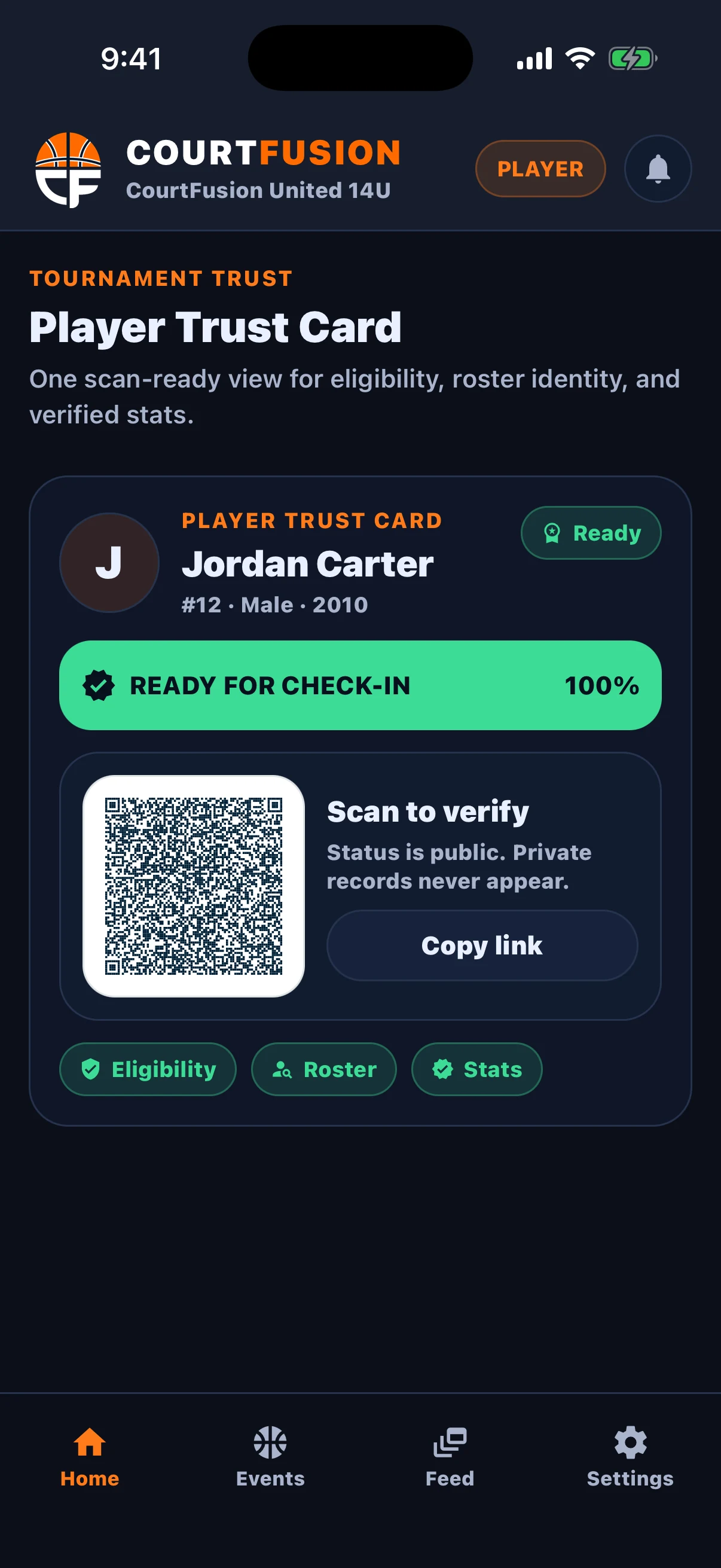
Trust context before outreach
The Player Trust Card gives approved workflows a clearer readiness signal before a recruiter saves or contacts a family.
Saved players, request status, and verified scout context now live in one cleaner recruiter home.
Discover-player search and filters stay visible instead of feeling buried behind multiple screens.
The website now reflects the current recruiter UI instead of older exported home screens.
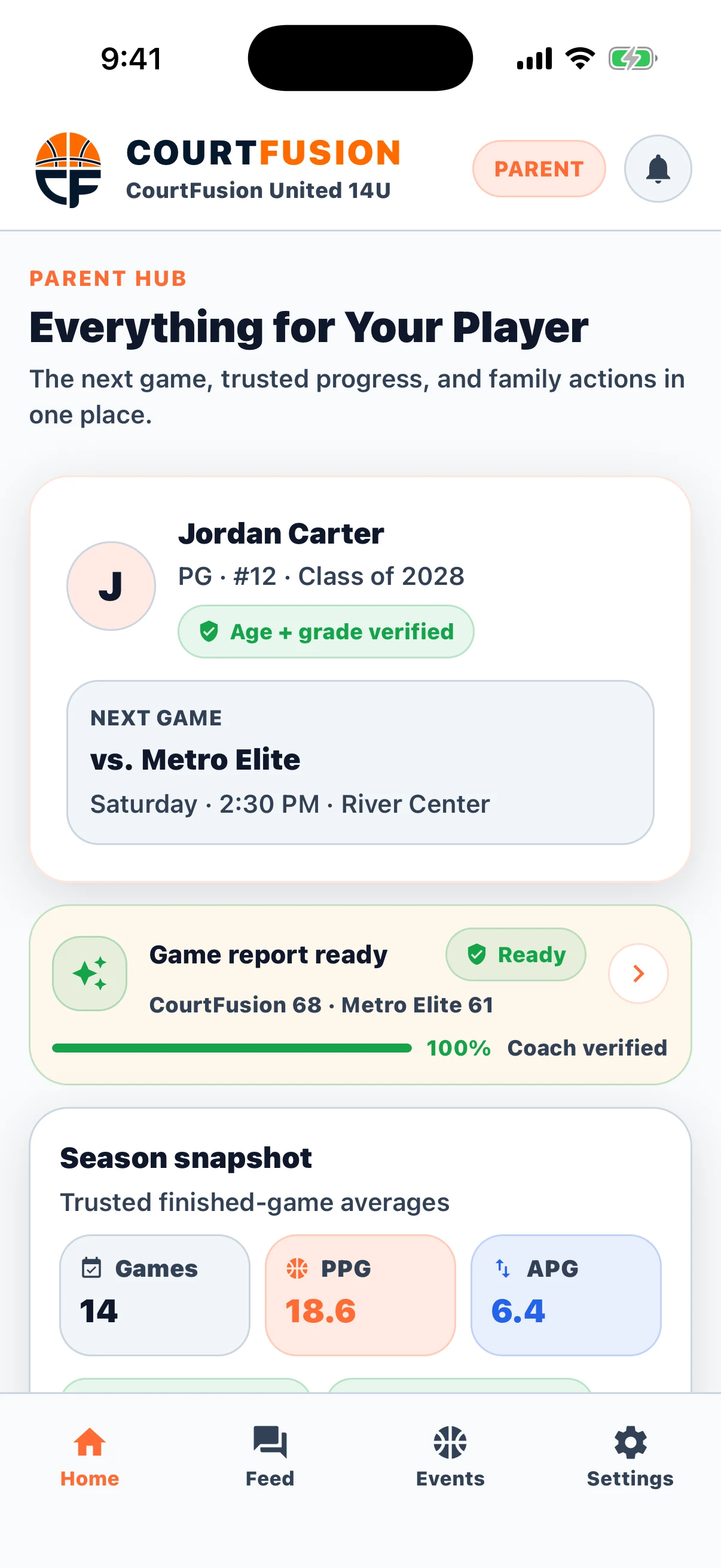
Keep parents in the recruiting loop
The parent hub keeps linked-player context and approval-based recruiting oversight connected to the family account.
Build a focused prospect board
Search discoverable players, narrow the results, and organize follow-up without losing the athlete's basketball context.
Permission-Based Contact Requests
CourtFusion keeps recruiting transparent for families and usable for scouts. Every contact path is approval-based, visible, and designed for youth safety.
- Transparent Communication
Parents see the request context before any approved thread opens.
- Reviewed Recruiter Requests
Families can evaluate the request instead of players receiving direct cold outreach.
- Compliance-Ready Workflow
The process supports youth safety standards while still enabling legitimate recruiting.
Comprehensive Player Profiles
Access player profiles with tracked stats, social links, discoverability status, and recruiter actions in one recruiter-safe workflow.
- Complete Statistics
See recent production and context before you decide to follow or reach out.
- Parent-Safe Contact Routing
Request actions are clearly tied to family approval and tracked inside the platform.
- Social and Highlight Links
Review Hudl, Instagram, YouTube, and other approved basketball links without leaving context.
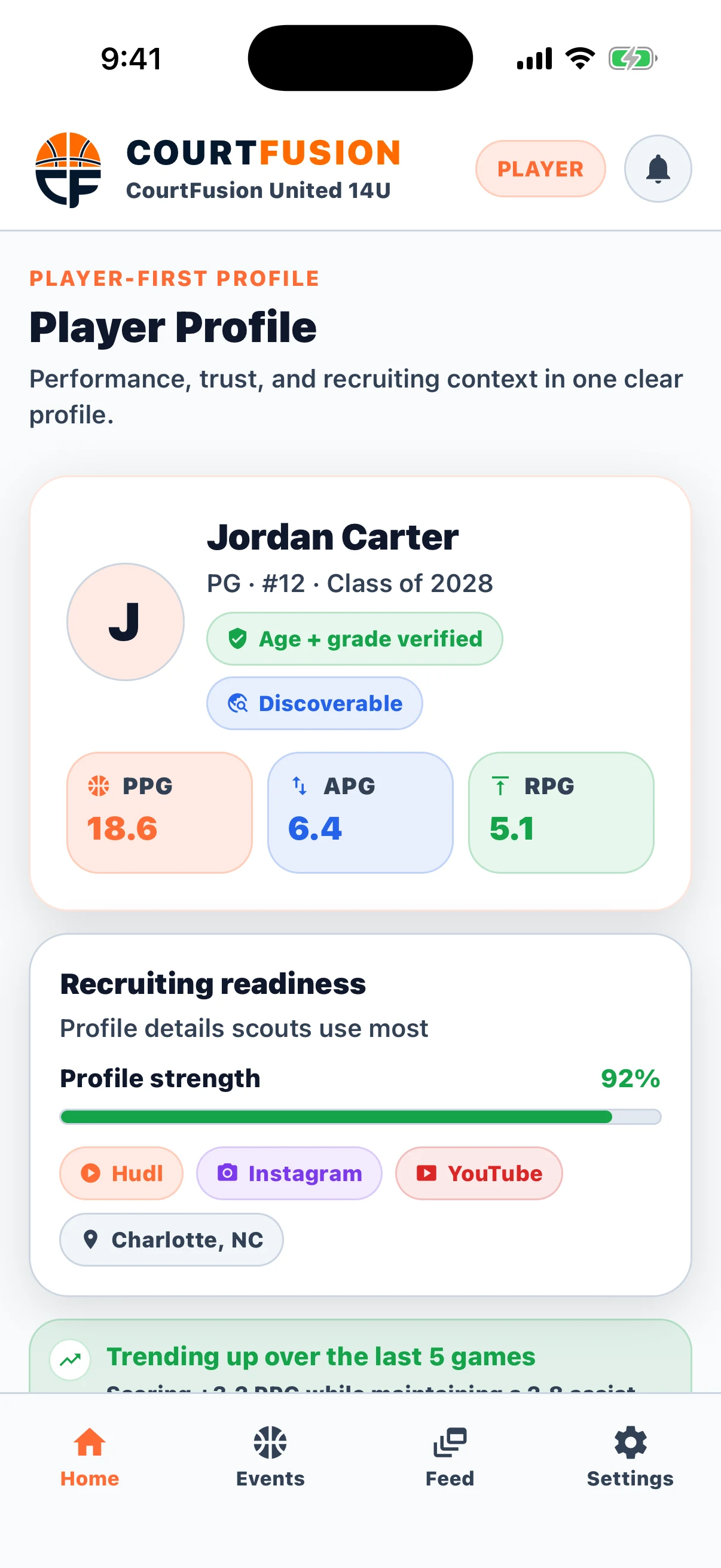
Review the full player story before outreach
Scouts can review discoverable status, parent-safe request flow, class year, location, and basketball social links from one profile view.
Powerful Recruiting Tools
Everything you need to discover and evaluate youth basketball talent.
Advanced Filters
Search by position, class, location, stat signals, and link presence.
Safe Request Routing
Recruiting requests stay visible, structured, and parent-approved for youth athletes.
Profile Visibility
Focus on discoverable athletes and review player-approved basketball profiles in one place.
CourtFusion 3.0 in action
See the recruiter / scout experience before you sign in.
Player discovery and parent-safe outreach
See discoverable-player search, filters, saved prospects, contact requests, and verified-adult account controls.
- Search discoverable player profiles by basketball context.
- Apply filters and open the matching result set.
- Review saved players and parent-safe contact requests.
- Manage recruiter profile details and optional professional tools.
Youth Safety is Our Priority
CourtFusion keeps recruiting transparent for families and usable for legitimate scouts.
Parent-Approved Access
Discover only players whose families have enabled recruiting visibility.
Credential Review
Recruiters provide school affiliation and contact details for review.
No Direct Messaging
Contact requests route through family approval for youth athletes.
Transparent Process
Families can see recruiting activity and approved communication status clearly.
Discover Your Next Recruit on CourtFusion
Join the platform that connects recruiters with youth basketball players through a safe, transparent, and parent-approved process.